
It’s no secret that the latest iPhones have incredible built-in stabilization. Thanks to Apple’s combination of optical image stabilization (OIS) and electronic image stabilization (EIS), handheld footage has never looked smoother.
For most casual shooters, that means you can walk, pan, and vlog handheld and still get impressively stable results.
But even with all that built-in tech, a phone gimbal can still take your videos to another level. By mechanically smoothing out movement, gimbals offer an extra layer of stabilization that handheld shooting lacks. Here’s what they still do best:
- Cinematic walking shots with less jitter
- Controlled pans and tilts that feel professional instead of handheld
- Improved low-light footage, since the gimbal takes stress off the iPhone’s EIS system
- Creative tools like inception mode, motion timelapses and dynamic hyperlapses
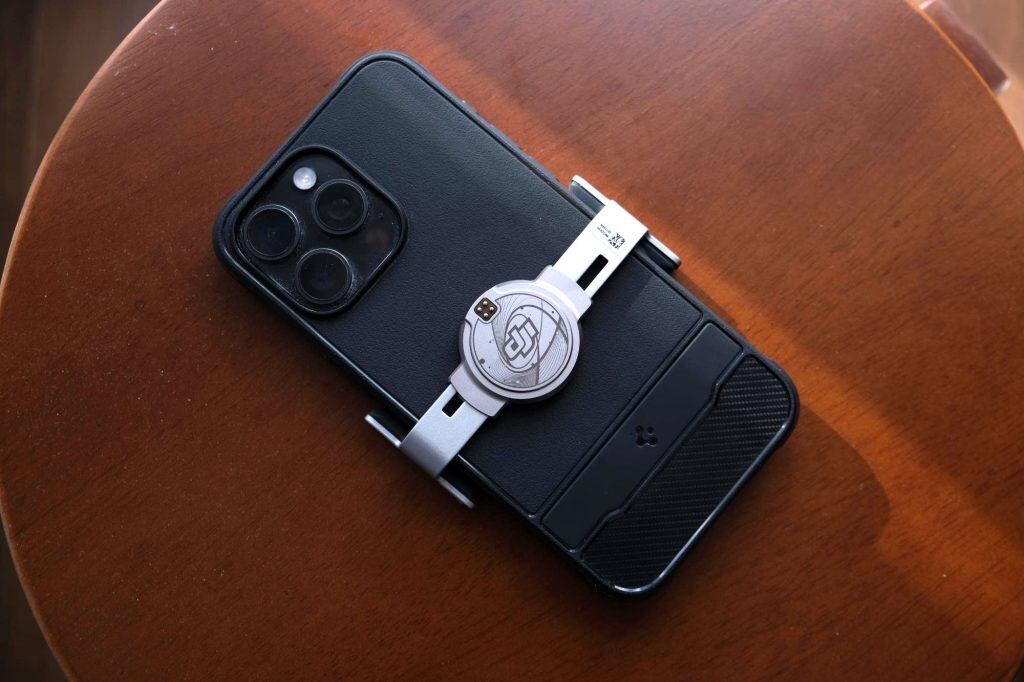
And while stabilization is still their main selling point, today’s gimbals have evolved far beyond the basics. The best modern models come packed with smart, user-friendly features such as:
- Advanced Subject Tracking
- Built-in tripods and extendable selfie sticks
- Magnetic mounts for quick setup
- One-tap switching between front and rear cameras
Included In This Guide
With so many options on the market, choosing the right one can feel overwhelming — especially since most gimbals look similar at first glance. That’s why I’ve tested and rounded up the top picks of the year, highlighting what makes each one stand out and which is right for your shooting style.
DJI Osmo Mobile 8
- Great ergonomics
- Smooth variable zoom
- 360° panning
- Value-packed bundle
- Polished app
- Limited tilt range (foldable design)
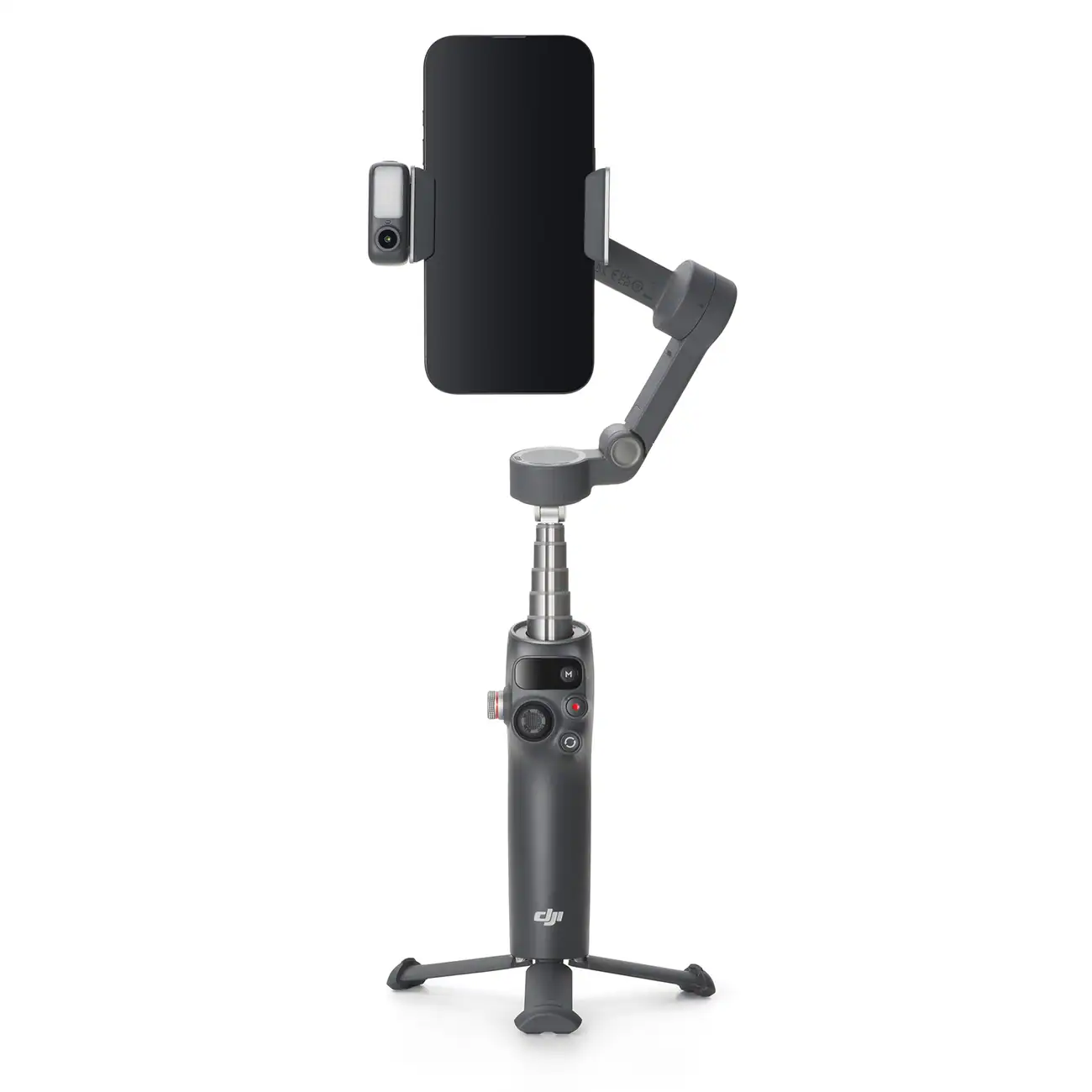
The DJI Osmo Mobile 8 is the most polished and well-rounded iPhone gimbal available today — and a clear improvement over the previous Osmo Mobile 7P. DJI has finally closed the gap on two major features that previously gave the Insta360 Flow 2 Pro an edge: 360-degree panning and Apple DockKit compatibility.
With those additions, plus a magnetic quick-release clamp, built-in tripod, and integrated selfie stick, the Osmo Mobile 8 delivers everything you’d expect from a flagship gimbal in 2026.
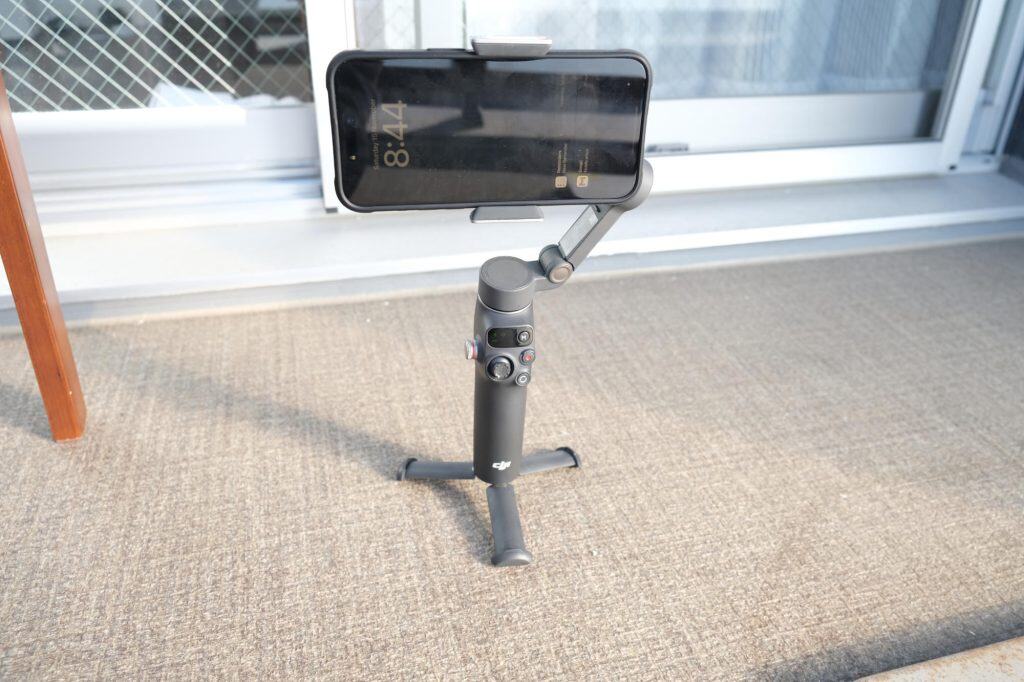
Where DJI really pulls ahead, though, is in its value-packed bundle. The base kit includes the OM Multifunctional Module, which adds AI subject tracking and a built-in fill light, which are accessories that typically cost extra on competing gimbals.
DJI’s Mimo app also remains one of the strongest software experiences on any gimbal platform. It’s clean, intuitive, and offers guided tutorials and smart shooting modes that help beginners get cinematic results without the frustration.
Why I Prefer the Osmo Mobile 8 Over the Flow 2 Pro
While Insta360 focuses on creator-friendly extras, the Osmo Mobile 8 prioritizes improvements that matter to your everyday shooting experience. These upgrades aren’t flashy, but you feel them immediately:
- More comfortable, curved grip that reduces hand fatigue
- Slightly lighter body for longer recording sessions
- Smoother tracking from the OM Module vs. Insta360’s AI tracker
- More refined zoom wheel with less stepping
- Simultaneous charging for both phone and gimbal
These enhancements may seem small individually, but together they create a smoother, more enjoyable workflow. They’re the kind of improvements you appreciate every time you use the gimbal, and not just in occasional niche scenarios.
And because I already use devices like the DJI Osmo Pocket 3, Osmo 360, and DJI Mic, the Osmo Mobile 8 fits naturally into my existing setup. Everything works together cleanly, which matters when juggling multiple devices on a shoot.
Should You Choose This Over the Flow 2 Pro?
If you’re already in the DJI ecosystem, the Osmo Mobile 8 is the easy choice.
If you’re invested in Insta360 cameras like the X5 or Ace 2 Pro, the Flow 2 Pro may feel more seamless.
The Flow 2 Pro does have its own advantages — such as a more stable built-in tripod — but in practical day-to-day use, the Osmo Mobile 8’s improvements feel more meaningful and more central to the user experience.
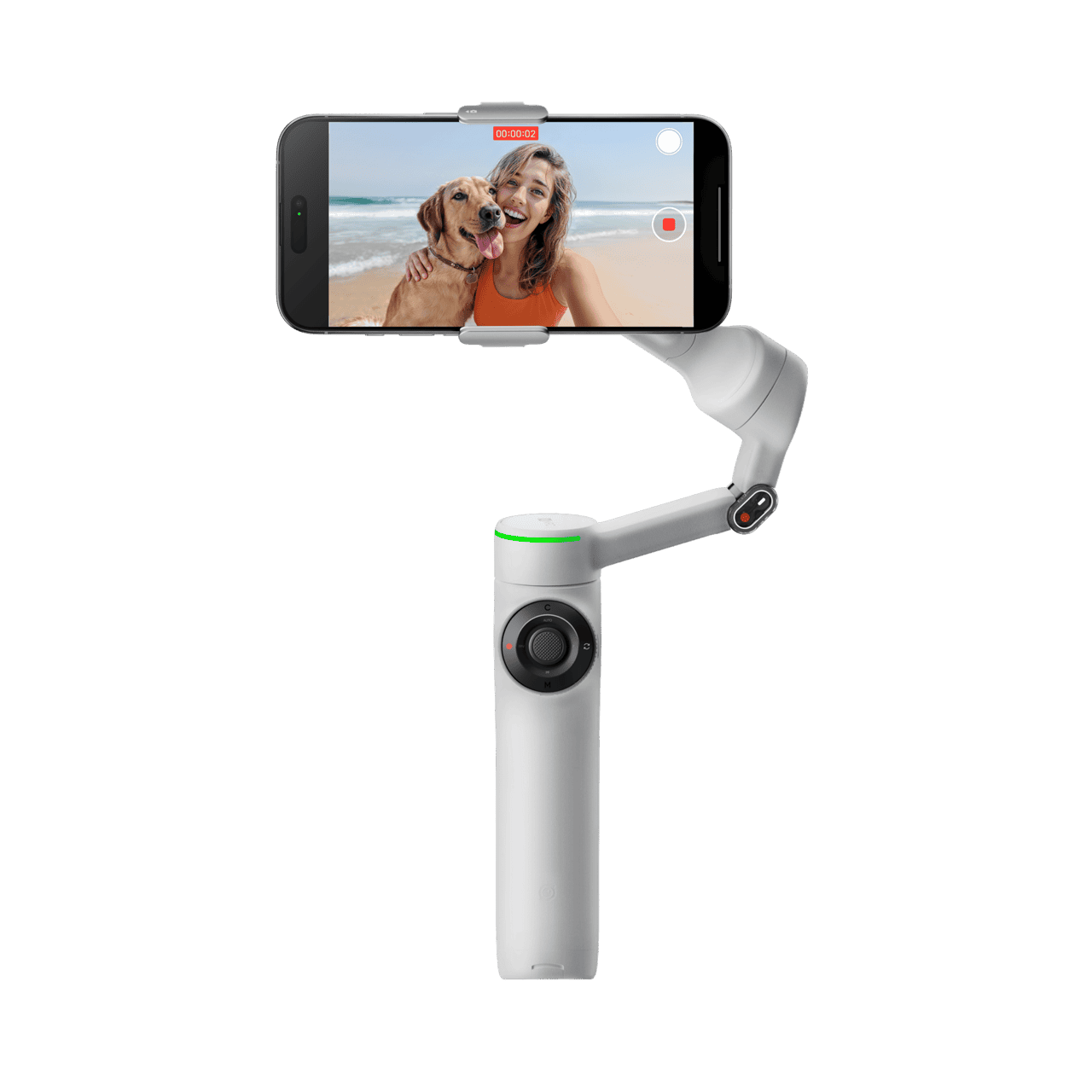
Insta360 Flow 2 Pro
- Stylish design
- Longer built-in tripod legs
- Selfie mirror is a nice touch
- Polished app
- Expensive with AI Tracker
- Limited tilt range (foldable design)
Before DJI’s latest update, the Insta360 Flow 2 Pro was the easy recommendation for anyone looking for a general-purpose phone gimbal. Released about a month ahead of the DJI Osmo Mobile 7P, it quickly became the gold standard thanks to its feature set that pushed phone gimbals into a new generation.
At the time, DJI’s model lacked 360-degree infinite panning and Apple DockKit integration, two standout capabilities that made the Flow 2 Pro feel far more future-ready. While I personally don’t use 360-degree panning or DockKit tracking often (the latter can be a bit laggy compared to Insta360’s dedicated AI tracking), it’s still great to have those options when you need them.
Why It’s Still Great
Even with the arrival of the Osmo Mobile 8, the Flow 2 Pro still has some practical advantages worth mentioning:
- Longer tripod legs for noticeably better stability on uneven surfaces
- More compact foldable design, making it easier to throw into a bag or pocket
- Built-in selfie mirror, useful when you want to record yourself with the rear camera for higher quality
- LED ring indicator, which gives you quick visual feedback on modes and battery
These features highlight Insta360’s attention to small, creator-focused details. They’re thoughtful touches, but ultimately more nice-to-haves than truly essential features. Take the selfie mirror, for example: it sounds useful for framing yourself with the rear camera, but because it doesn’t reflect the actual camera framing, it ends up being more of a rough guide than a practical tool.
By contrast, the Osmo Mobile 8’s advantages over the Flow 2 Pro (things like smoother zooming, better ergonomics, and a lighter weight) directly improve the core shooting experience. These are improvements you notice every time you pick up the gimbal, not just in niche situations.
And for me, those kinds of upgrades carry far more weight. They make the Osmo Mobile 8 the gimbal I instinctively want to reach for when I’m heading out to shoot.
Why It Falls Just Short
Compared to the Osmo Mobile 8, the Flow 2 Pro feels slightly less ergonomic and comes at a higher price point. DJI’s latest gimbal also offers better overall ecosystem integration, a more comfortable grip, and a smarter bundle (complete with AI tracking and fill light right out of the box).
That makes it hard to recommend the Flow 2 Pro over the Osmo Mobile 8 unless you find it on sale or already own Insta360 cameras like the X5 or Ace 2 Pro. In that case, it fits naturally into your workflow and syncs beautifully with the Insta360 app for seamless AI editing and tracking.
If you’re already in the Insta360 ecosystem, the Flow 2 Pro remains a top-tier pick. But for most users, the DJI Osmo Mobile 8 offers a better balance of performance, ergonomics, and value.
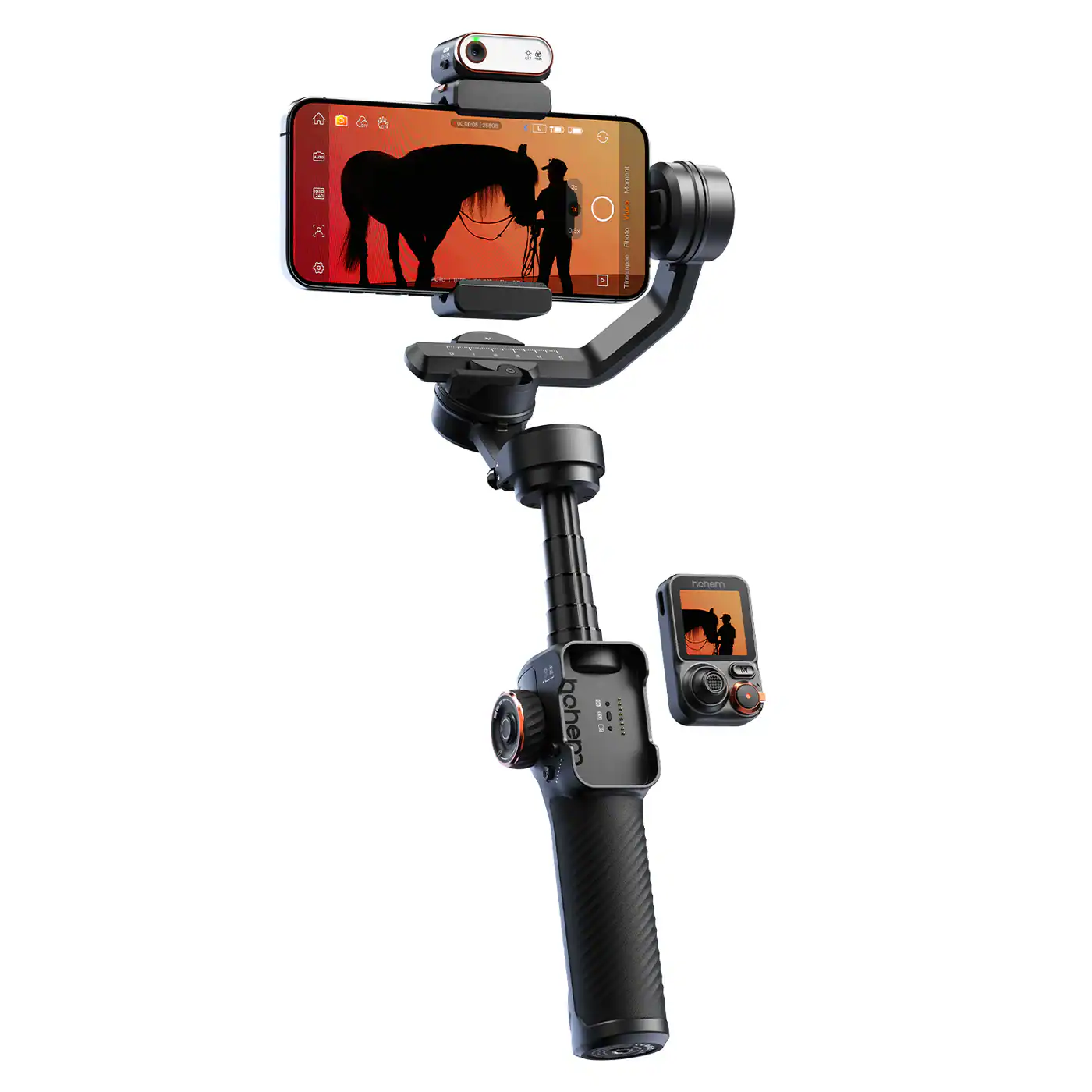
Hohem iSteady M7
- Huge payload
- Full tilt/pan range
- Remote control with preview
- Bulky and heavy
- Expensive
- Less polished app
If you’re the kind of creator who rigs your iPhone with ND filters, heavy cases, external mics, or lens attachments, a typical foldable smartphone gimbal can start to feel limiting. That’s where the Hohem iSteady M7 stands out. It’s designed for users who need more strength, more tilt range, and more control than the average compact gimbal can offer.
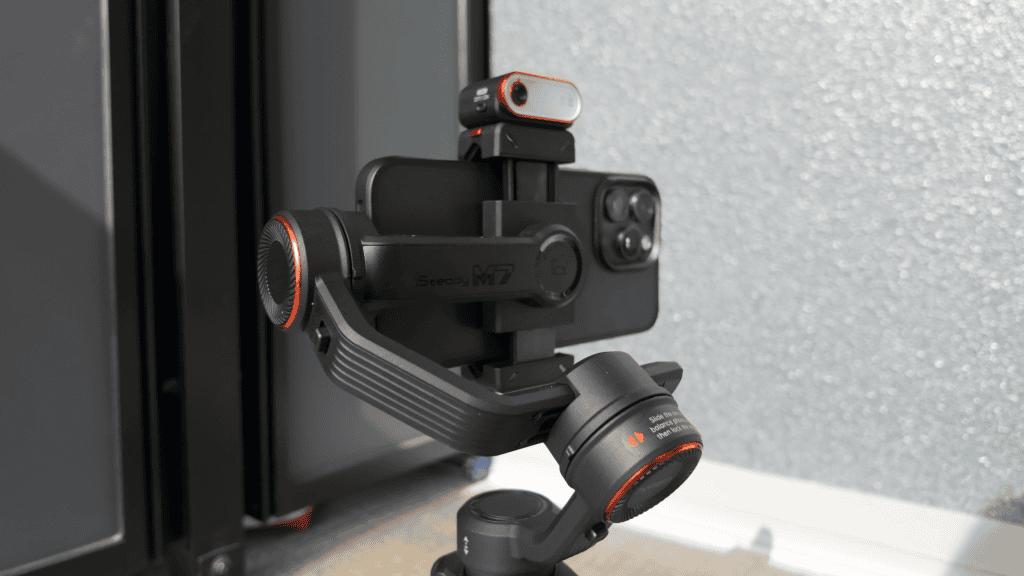
Why It’s Perfect for Power Users
Where most fold-up gimbals are built with portability in mind, the iSteady M7 prioritizes raw performance. It shines in a few key areas:
- High payload capacity — With support for roughly 500 g of phone + accessories, it handles heavier setups far better than DJI or Insta360’s foldable models. This is ideal if you use ND filters, lens adapters, chunky cases, or external audio gear.
- Full tilt and pan range — Many compact gimbals significantly limit tilt to maintain portability. The M7 offers a much wider range (-50° to +275° tilt plus 360° pan), which feels closer to a traditional mirrorless gimbal and gives you more creative flexibility.
- Detachable remote control — The included touchscreen remote lets you rotate, track, or reposition the gimbal from a distance. For filming yourself, or when the gimbal is placed on a tripod, this is incredibly useful.
For creators running heavy rigs or doing complex shooting setups, the M7 offers freedom and control that smaller gimbals simply can’t match.
Why It’s Not Ideal for Most Users
The iSteady M7 is powerful, but that power comes with compromises. And for casual users, these downsides are impossible to ignore:
- Bulky and cumbersome — This is easily the biggest drawback. The M7 is large, weighty, and not something you’d casually toss into a sling bag. For everyday vlogging, travel, or quick shoots, most people will find it way too inconvenient.
- Less polished app experience — The Hohem Joy app gets the job done, but it’s nowhere near the refinement or user-friendliness of DJI Mimo or the Insta360 app. If you’re used to those slick ecosystems, Hohem’s software may feel dated or unintuitive.
- Remote preview isn’t true framing — The live feed on the remote comes from the AI-tracking module’s camera, not your iPhone’s camera. That means what you see isn’t a 1:1 representation of your final shot, so it can be tricky to get the perfect framing using it alone.
These limitations don’t affect the M7’s capabilities, but they do make it a poor fit for users who prioritize portability, ease of use, or app experience.
If your shooting style involves heavy accessories, advanced setups, or solo filming where remote control is essential, the Hohem iSteady M7 is a powerhouse.
But if you prefer something lightweight, travel-friendly, and simple to use straight out of the box, a more compact gimbal like the DJI Osmo Mobile 8 or Insta360 Flow 2 Pro will offer a far better day-to-day experience.
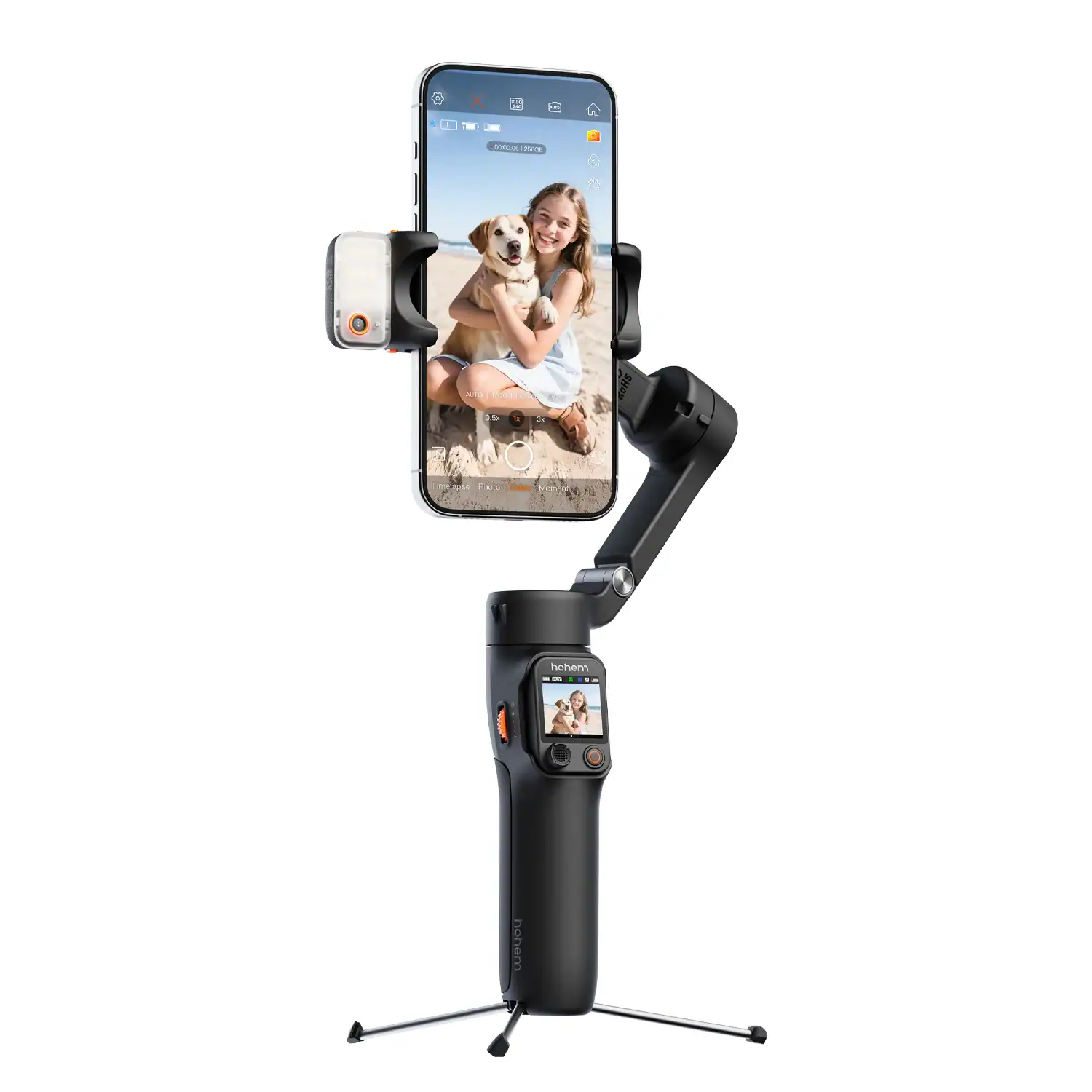
Hohem iSteady V3 Ultra
- 400 g payload to handle accessories
- Remote included
- Fixed, non-magnetic clamp
- Detachable remote can be lost
- Less polished app
If you want something more capable than a typical foldable gimbal but don’t need the full power-rig bulk of the iSteady M7, the Hohem iSteady V3 Ultra sits comfortably in the middle.
It offers a higher payload than most compact gimbals, includes a remote control module, and borrows several “pro-leaning” features from the M7 — all while still feeling closer in spirit to creator-focused models like the Osmo Mobile 8 and Insta360 Flow 2 Pro.
Why It Stands Out
The iSteady V3 Ultra’s biggest appeal is its balance of capability and portability. A few things make it worth considering:
- Improved 400 g payload — More breathing room for heavier phone setups, ND filters, thicker cases, or small lens accessories.
- Remote control module included — Similar to the M7, the V3 Ultra comes with a detachable remote that lets you move the gimbal or adjust framing from a distance — useful for self-recording or tripod setups.
- A middle-ground option — It offers some of the M7’s functionality without jumping all the way into “serious gimbal” territory. It’s stronger than the compact gimbals but still portable enough for everyday use.
For creators who occasionally run heavier rigs or want the added versatility of a remote, the V3 Ultra hits a nice balance.
Where It Falls Short
Despite its solid hardware, the V3 Ultra still carries a few drawbacks that keep it from matching the top-tier models:
- Less polished experience overall — The Hohem Joy app and general workflow just aren’t as refined as DJI Mimo or the Insta360 app. The experience feels a bit more “budget,” even if the hardware is capable.
- Remote isn’t perfect — The remote control is handy, but not something most users will rely on daily. Like the M7, live preview shows the AI-tracker’s camera feed, not your phone’s actual framing, so it’s helpful but not precise. Plus, it’s something you can lose!
- Not quite a flagship — Even with its stronger payload, it doesn’t fully match the ergonomics, magnetic mounting, or ecosystem benefits of the Osmo Mobile 8 or Flow 2 Pro.
The Hohem iSteady V3 Ultra is a great choice if you need more payload and flexibility than a standard compact gimbal, but don’t want to step up to the bulk and seriousness of the M7. It’s the “in-between” option: more capable than the mainstream models, but not as heavy-duty as the power-user rigs.
If you value polish, app experience, and seamless ecosystem integration, you’ll still be better served by the Osmo Mobile 8 or Flow 2 Pro.
If you want extra payload headroom and occasional remote-controlled shooting without committing to a large gimbal, the V3 Ultra is a solid alternative.
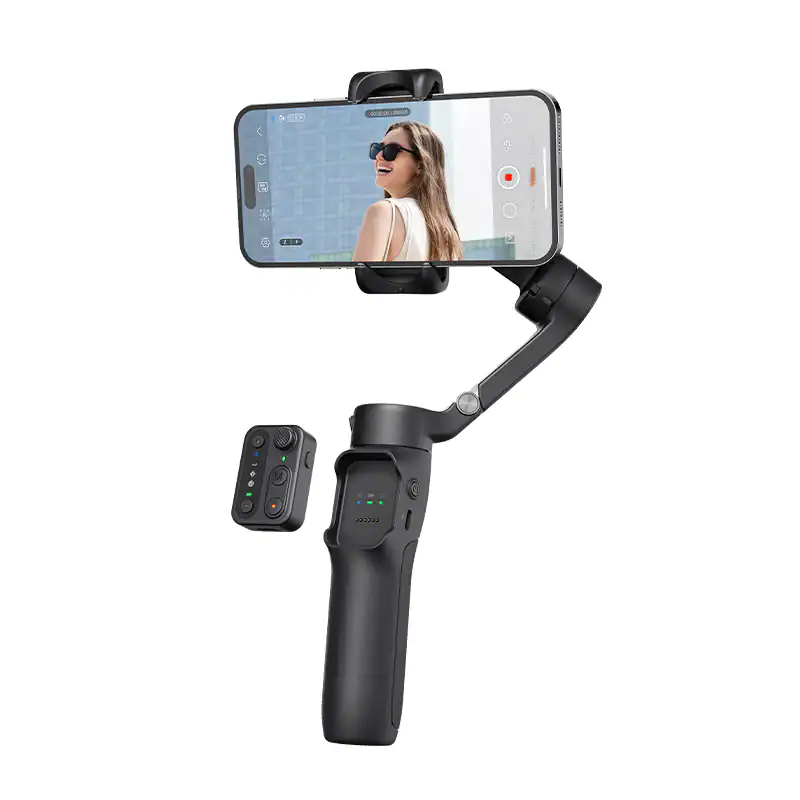
Hohem iSteady X3 SE
- Cheap
- Remote included
- Foldable
- No built-in selfie stick
- No dedicated tracker
- Basic build quality
If you want stabilized iPhone footage without spending much, the Hohem iSteady X3 SE is one of the best budget gimbals currently available.
It delivers the fundamentals surprisingly well for its price, offering reliable 3-axis stabilization, a compact foldable design, and support for phone setups up to around 300 g — which matches the payload capacity of more premium gimbals like the Flow 2 Pro and Osmo Mobile 8.
The X3 SE gets the basics right. It handles walking shots well enough for casual vlogging, offers long battery life for all-day travel, and even includes a detachable remote control so you can trigger recording or reposition the gimbal from a distance. It’s a fun extra, especially if you film yourself or shoot from a tripod occasionally.
That said, this is very much a “budget” device, and it shows. While it stabilizes effectively, the overall experience isn’t as refined as what you get from the bigger brands. You don’t get flagship features like an integrated selfie stick, magnetic quick-mount system, or advanced AI tracking modules.
The Hohem Joy app also isn’t as polished as DJI Mimo or the Insta360 app, and you may run into a few rough edges in day-to-day use. The included remote is handy, but like the ones on Hohem’s larger gimbals, it opens you up to the possibility of accidentally losing it at some point, which would your gimbal useless.
Even so, the iSteady X3 SE remains one of the strongest picks for creators on a tight budget. It’s cheap, portable, and more capable than you’d expect at this price point. It’s great for beginners, travel vloggers, or anyone who simply wants smoother footage without paying premium prices.
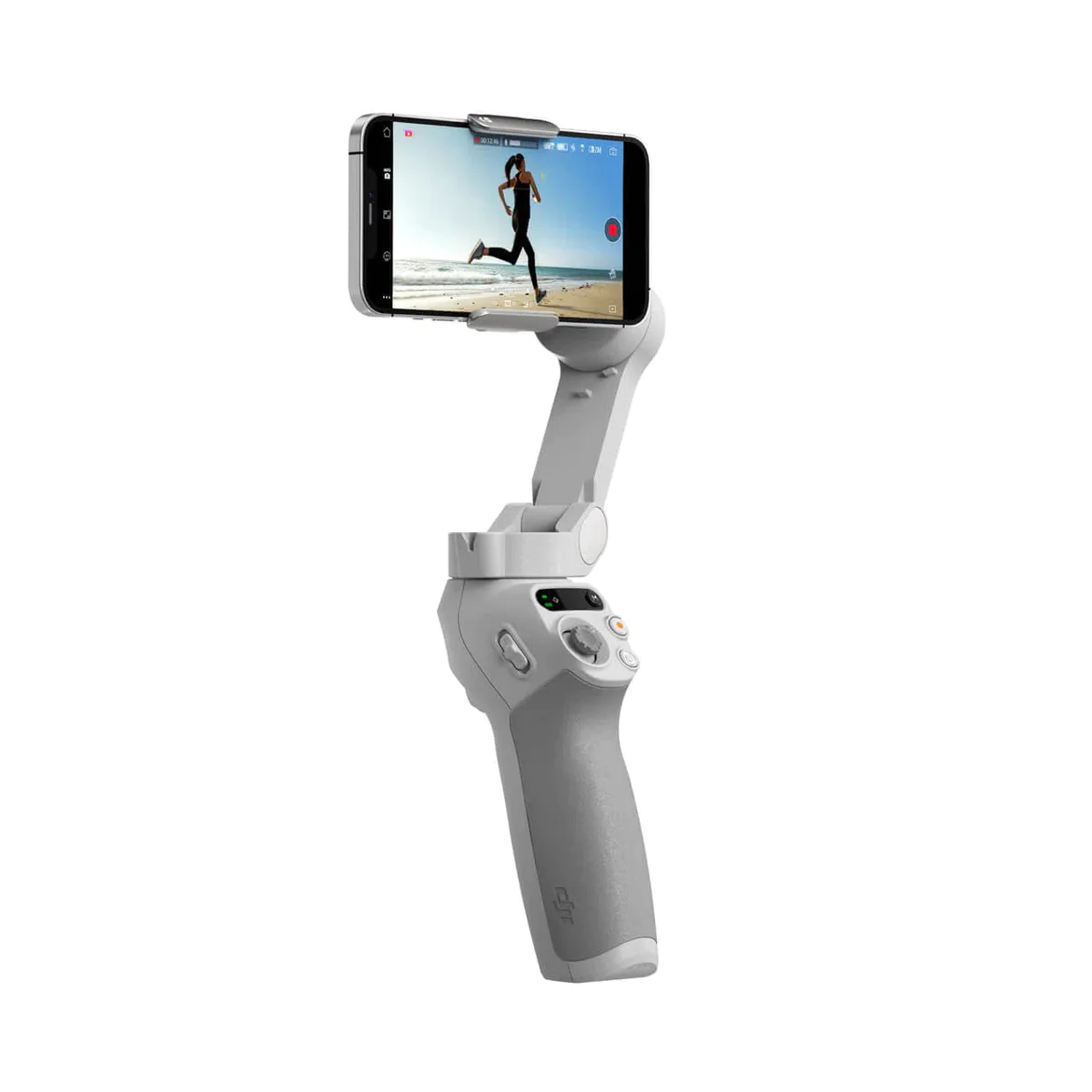
- Same core performance as Osmo Mobile 6
- DJI software experience is superior to unknown budget brands
- Stripped-down gimbal
- No built-in selfie stick
- Zoom slider less smooth than zoom wheels
- Outdated
While it’s a little older and a little more expensive than the X3 SE, the DJI Osmo Mobile SE is still a very strong budget-friendly choice, especially if you value a slicker, more polished experience.
You don’t get the most modern design or the newest tracking features, but what you do get is classic DJI stability, magnetic mounting, and a companion app that’s far superior to any budget competitor.
If you’re already using DJI products, or you just prefer something that feels more refined, the Osmo Mobile SE may actually be the better pick despite its age.
If price is your top priority and you want the most features for the least money, the Hohem iSteady X3 SE is a great option. But if you care more about app quality, ease of use, and an ecosystem that “just works,” the Osmo Mobile SE remains a budget option that offers a simple but solid gimbal experience.
iPhone Gimbal FAQs
Can My New Gimbal Be Used As A Power Bank?
Yes. Most, but not all, smartphone gimbals can also function as a power bank. Their battery capacities are smaller than dedicated power banks but they can be useful as a backup. Of course, charging your phone with a gimbal will eat into the recording time of your gimbal.
Some gimbals, like the DJI Osmo Mobile 8, allow simultaneous charging of the gimbal and phone, while others don’t.
AI Tracker vs DockKit vs In-App Tracking
Tracking technology is now one of the biggest selling points for modern iPhone gimbals, but not all tracking works the same way. In fact, there are three different systems you’ll see across gimbals today, so which one should you use?
In-App Tracking (Recommended)
Tracking that works only inside the gimbal’s own app (DJI Mimo, Insta360 app, etc.).
It’s typically the most feature-rich and offers more advanced tracking options. It’s also the most intuitive to use, since everything is done from the iPhone screen.
AI Tracker (For third-party apps)
This uses a separate camera module on the gimbal to track a human subject. It works in any app since it’s completely independent of the app or camera you’re using.
While the latency is as good as in-app tracking, the cameras on these dedicated tracking modules typically lack the resolution and fidelity of your iPhone camera, so they can sometimes struggle in low light or overly bright light, which can result in jerky movements as they momentarily lose tracking.
So I’d recommend this method of tracking when you need to record in a different app, such as the native camera app or another third-party app like Blackmagic Camera.
DockKit Tracking (Other uses)
Apple’s built-in tracking framework. DockKit tracking isn’t as smooth as the other methods and can feel a bit laggy, but some third-party video conferencing and streaming apps can make use of it. In these situations, having this compatibility is important.
Will My New Gimbal Conflict With My iPhone’s OIS?
In the early days of iPhone video stabilization, the mechanical stabilization of gimbals could conflict with gimbals. However, this isn’t a problem anymore.
Should I Use The Gimbal App or iPhone’s Native Camera App?
I recently did some testing on this. The verdict? Use the gimbal app if you can.
Even though I prefer the cleaner native camera app experience, the native camera app actually applies a stronger level of EIS which crops in the image even more. This is even when the ‘Enhanced Stabilization’ setting in your iPhone’s settings is disabled.
With the gimbal app, it uses a less aggressive level of EIS, which is only available on third-party apps where the developer has opted to choose lower EIS strengths.
Here’s a video where I explain things:
Can I Use My iPhone Gimbal With An Action Camera?
Smartphone gimbals are primarily designed for use with iPhone and Android devices.
However, many of them can technically also hold and stabilize a GoPro or similarly sized action camera instead, even if they don’t explicitly mention it.
I’ve got my DJI Osmo Action to work with most smartphone gimbals, but there is a trick to it. If you just put the action camera in the clamp directly, it’s not only not a secure fit, but it can cause the gimbal to start acting up. That’s because the action camera is too light!
That’s why you really need to be using an action camera mounting plate, like No products found. which both adds some weight and makes it much more secure in the clamp.
Are Smartphone Gimbals Waterproof?
In general, smartphone gimbals are not waterproof. Their brushless motors could be damaged by contact with water. It is therefore not recommended to record video in wet conditions.
Conclusion & Buying Advice
Choosing the right iPhone gimbal ultimately comes down to understanding how you shoot and what you value most in your workflow. Today’s smartphone gimbals range from ultra-polished compact models to full-power rigs designed for creators who treat their phone like a mini cinema camera. The good news is that there’s genuinely something for everyone, but that also means the best choice depends heavily on your needs.
If you’re someone who films casually, travels often, or prefers to keep your kit lightweight, the mainstream foldable gimbals like the DJI Osmo Mobile 8 and Insta360 Flow 2 Pro are the safest picks. They combine portability with polished software and enough stabilization performance to noticeably improve your smartphone footage. These are the gimbals you’ll actually bring with you, and for most people, that alone makes them the best options.
On the other hand, if you frequently rig your phone with ND filters, cages, lens attachments, or external audio gear, a more robust model like the Hohem iSteady M7 gives you the extra payload and range of motion that compact gimbals simply can’t match. It isn’t as portable or refined, but for creators who prioritize capability over convenience, it fills an important gap that the mainstream options don’t.
For budget-minded creators, the Hohem iSteady X3 SE delivers the essentials surprisingly well. It stabilizes effectively, supports a respectable payload, and even includes a remote. It’s missing some premium features like magnetic mounting, AI tracking, and a refined app experience, but for beginners or casual vloggers, it’s arguably the best value available.
And if you’d prefer something with a smoother, more polished user experience (even if it’s slightly older), the DJI Osmo Mobile SE remains a dependable alternative.
When deciding which route to take, it helps to keep a few practical questions in mind:
- Will you regularly use accessories like ND filters, mics, or lens adapters?
- Do you prefer a polished app experience, or are you okay with something a bit more barebones?
- How important is compactness and portability to you?
- Are you already invested in an ecosystem like DJI or Insta360?
- Do you value advanced tracking features, or do you simply want smoother walking footage?
Answering these realistically will make your choice much clearer.
At the end of the day, the gimbal you choose should be the one you’ll actually carry and use. Specs, payload numbers, and feature lists matter, but not as much as choosing a tool that feels right in your hand and fits naturally into the way you shoot.
I definitely think the DJI and Insta360 gimbals are in a class above the others, but Hohem provides healthy competition in the space by filling the gaps for users with slightly different or more specific requirements.
I bought an Insta360 Flow 11 Nov 23. After 2 months button function started to become erratic. By 12 Feb it wouldn’t reliably turn on when opened. I’m hoping the company will replace under warranty. If not, I’ll forget it because it’s really not all that easy to use. Aside from that, stabilization works well.
Hi what is the best for 14 pro max as I have q2 smooth and I’m having a problem to balance it in the middle and rotating
Have you tried your iPhone 14’s action mode? If you’ve already tried that or have other reasons for wanting a gimbal (subject tracking, as a tripod etc.) then the Insta360 Flow and DJI Osmo Mobile 6 are both worth considering for your 14 Pro Max.
Thank you so much! Best review and most helpful! I feel like I’m for the Instaflow now over dji with your review. You reviewed the Hohem isteady x. I was wondering if you have tried the hohem isteady m6 or mobile+ ? If so, still choosing Instaflow over those? Thank you again!
Hi Nicola, thanks for the positive feedback! Besides the iSteady X, I have one of the older iSteady Mobile models which is similar to the Mobile+. It does a good job at stabilizing, but it’s a basic gimbal that lacks any newer features that are becoming popular (e.g. built-in selfie stick, magnetic clamp, foldable design) and the app experience is rather poor. The M6 is more interesting, because it uniquely positions itself as a gimbal that is capable of heavier payloads (for heavier phones with multiple attachments) and greater range of motion, at the cost of portability and convenience. I haven’t tested it yet, though. The Insta360 Flow is convenient and versatile, and the software experience is good so right now I’d recommend it over the Hohem models.